





A trigger wire on a vehicle monitor is a control wire that receives an electrical signal and tells the monitor to display a specific camera channel automatically. It connects a vehicle action, such as reversing or turning, with the camera view the driver needs.
For trucks, buses, RVs, and other commercial vehicles, automatic switching reduces manual channel selection during maneuvering. However, correct operation requires more than connecting a wire: the signal, camera channel, and monitor settings must work together.
How Does a Vehicle Monitor Trigger Wire Work?
A trigger wire carries a control signal from a suitable vehicle circuit to the monitor’s trigger input. When that signal meets the input requirements, the monitor selects the assigned camera channel.
The process follows this sequence:
Vehicle action → Electrical signal → Trigger input activated → Camera view displayed
In a reversing system, the signal may come from an appropriate reversing-light circuit. The monitor uses this input to determine when to show the rear camera.
The connection must match the monitor’s specified trigger voltage and signal type. Follow the wiring diagram for the exact model; the monitor’s power supply rating alone does not establish its trigger input requirements.
Is a Trigger Wire the Same as a Video or Power Wire?
Trigger, video, and power connections serve three separate functions in a vehicle camera system.
| Connection | Main unction |
|---|---|
| Video connection | Carries the camera image to the monitor |
| Power connection | Supplies electricity to the camera or monitor |
| Trigger connection | Tells the monitor when to select a camera channel |
A trigger wire does not normally carry video and should not be treated as a camera power supply unless the manufacturer specifies that function.
This distinction helps explain a common fault: the monitor switches to the correct channel, but no image appears. The trigger may be working while the camera’s power supply or video connection needs attention.
How Does a Reverse Camera Trigger Work?
A reverse camera trigger automatically selects the rear camera when reverse gear is engaged.
Suppose the rear camera connects to CH2. The trigger input assigned to CH2 must receive a compatible reverse signal. Once that input becomes active, the monitor displays the rear view without the driver pressing a channel button.
CH2 is only an example. Channel assignments may be fixed or configurable, depending on the monitor.
For correct operation, confirm both sides of the connection: where the rear camera’s video enters the monitor and which trigger input selects that channel. A mismatch can cause the wrong camera to appear when reversing.
Can Trigger Wires Display Side-Camera Views?
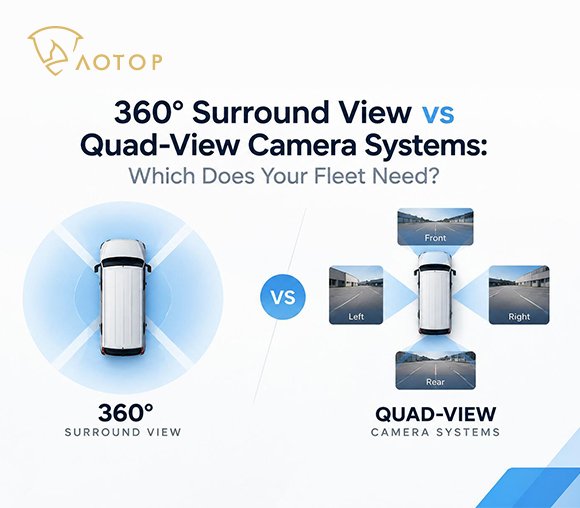
Monitors with suitable trigger inputs can display side-view cameras in response to left and right turn signals.
A typical multi-camera arrangement uses three automatic functions:
- Reverse engaged: Display the rear camera.
- Left turn signal active: Display the left-side camera.
- Right turn signal active: Display the right-side camera.
This gives drivers access to different views without manually searching through camera channels.
However, video input count and trigger input count are separate specifications. A monitor that accepts four cameras does not necessarily provide four independent trigger inputs. Check which channels support automatic selection and how their triggers are assigned.
What is Trigger Priority?
Trigger priority determines which camera view appears when two or more trigger inputs are active simultaneously.
For example, a driver may reverse while a turn signal remains on. If the reverse input has higher priority, the monitor keeps the rear camera on screen instead of switching to the side camera.
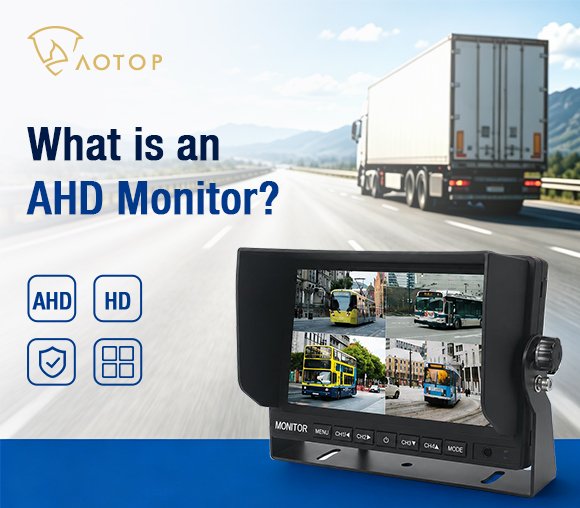
Priority rules may be fixed or adjustable. The AOTOP CM-718HQ quad-view monitor, for instance, provides four trigger inputs with adjustable trigger assignments, delay, and priority.
These options help installers match switching behavior to the application. During setup, test overlapping inputs to confirm which view appears; reverse priority should never be assumed across all monitors.
What Happens When a Trigger Signal Ends?
When a trigger signal ends, the monitor follows its configured return behavior. It may restore the previous camera, select a default channel, return to a split-screen layout, or briefly retain the triggered view.
Some monitors offer a trigger delay setting. Check whether this controls entry into the triggered view, the time before returning, or another model-specific function.
The return behavior should suit the driving task. For example, a system normally used in quad view may need to restore that layout after the reversing signal ends, provided the monitor supports this configuration.
Why is the Monitor Not Switching Automatically?
If the camera displays correctly when selected manually but does not appear automatically, start with the trigger connection and settings.
Check the following:
- Channel assignment: Does the trigger select the channel connected to the intended camera?
- Signal source: Does the required vehicle signal reach the trigger input?
- Input compatibility: Does the signal meet the monitor’s electrical requirements?
- Configuration: Is triggering enabled and correctly assigned?
- Wiring condition: Are the connections secure and undamaged?
These checks help distinguish a switching fault from an image problem. Identify wires using the manufacturer’s diagram rather than relying on color alone.
Choosing a Monitor That Matches Your Vehicle’s Operation
Choose the trigger configuration around three questions: which view should appear, which vehicle action should select it, and what should happen afterward?
A basic reversing system may need only one trigger. A rear-and-side camera system also needs suitable channel assignments, priority rules, and return behavior.
When comparing quad-view vehicle monitors, check these functions alongside video compatibility and screen size. Before putting the system into service, test each trigger individually, overlapping signals, and the return to normal viewing. A well-configured system should show the intended camera consistently through each maneuver.